Planbook
Who is where tomorrow?
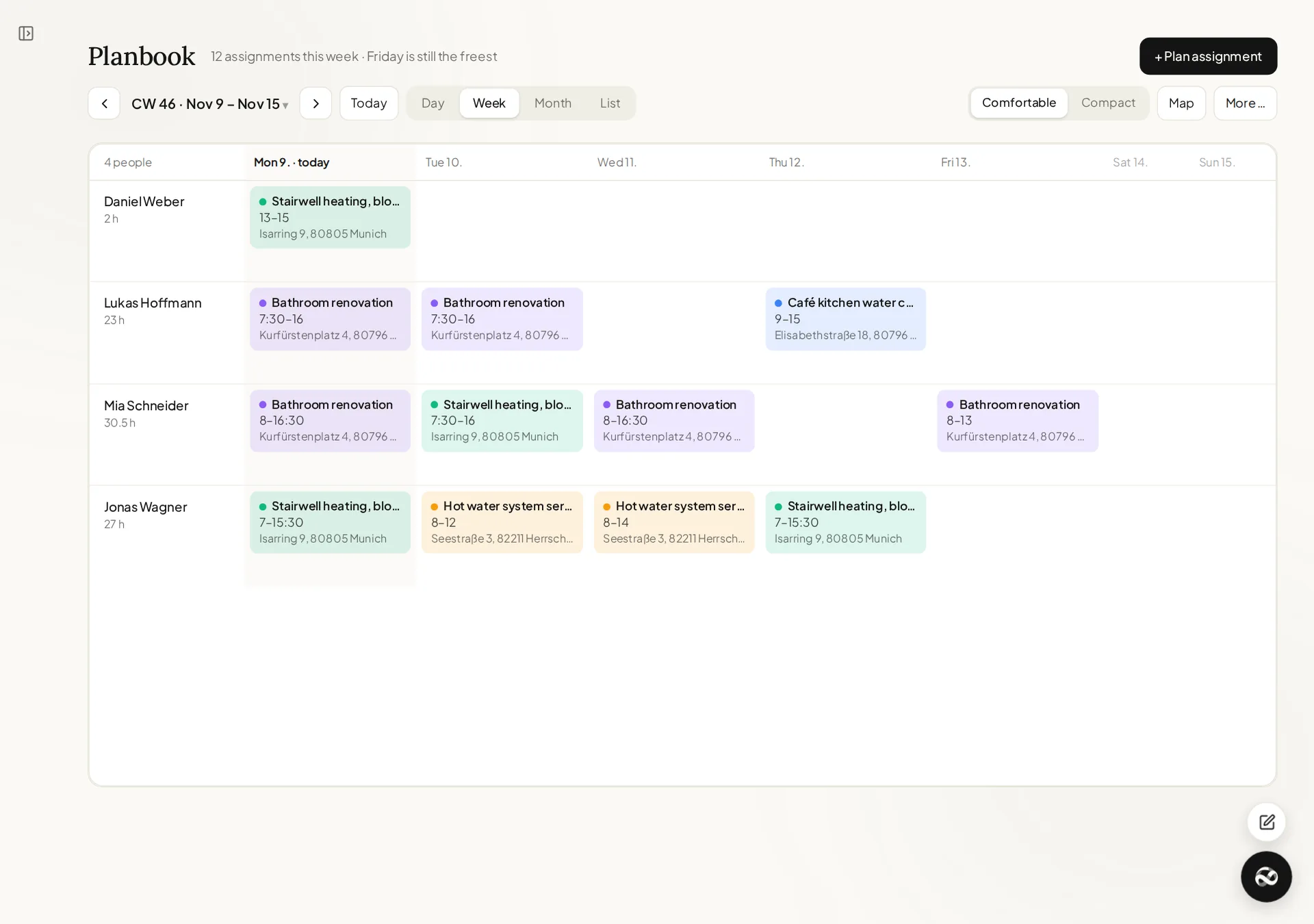
Scheduling for several crews on one board. Drag, drop, done — and everyone sees their job on their phone straight away.
What that means day to day
Drag and drop
Pull a person onto a day and a project, set the time, add a note for the site.
Double bookings are caught
Schedule someone on two sites at once and the Planbook says so before it saves.
Straight to the crew
The job appears in their app under "Today" — address, time and note. From there they start time tracking for the right project.
Into your calendar
As a subscription for Outlook, Google or Apple. It updates itself; nothing to export.
Just get started.
7 days free · no credit card